
Product Walkthrough
From scattered evidence to a reviewed decision
A walkthrough of My Focus, Company Brain, and Program Assurance in Enterprise Hub AI.
Business decisions often depend on information spread across systems. A customer escalation may need attention, but the next step can remain unclear: Who owns it? What evidence supports it? What must be confirmed before someone approves action?
This walkthrough follows a customer-risk example through three views in Enterprise Hub AI—from personal attention to evidence review and program oversight.
The screenshots use synthetic demo data. This is a product walkthrough, not a report of customer results.
Start with what needs your attention
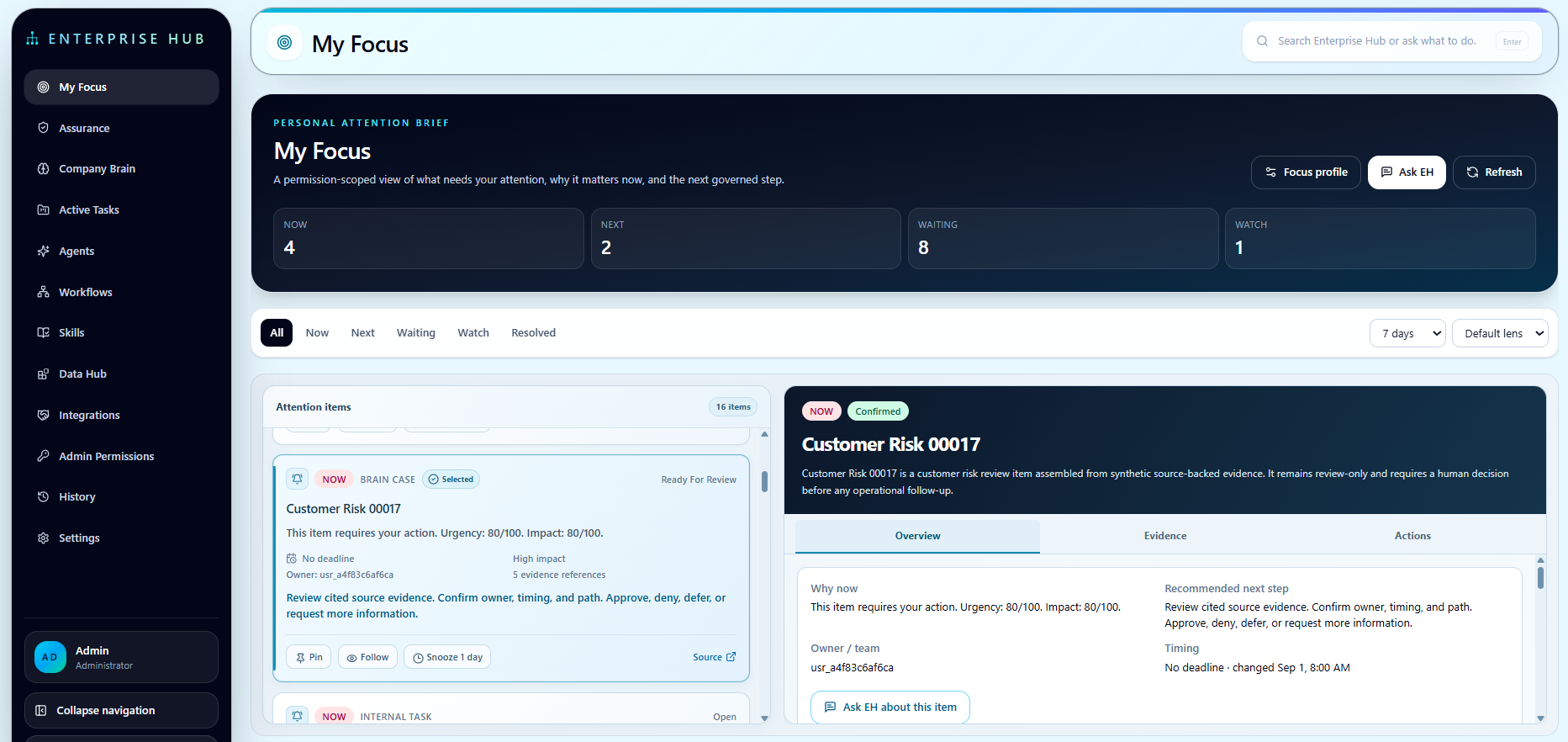
My Focus brings priorities, tasks, and review requests into a personal attention view.
In this example, Customer Risk 00017 appears as an item requiring review. Selecting it opens the supporting context and recommended next step: review the cited source evidence, confirm ownership and timing, and decide whether to approve, deny, defer, or request more information.
The view gives the reviewer a starting point and a path into the details. Identifying an item as urgent does not settle the decision—it tells the reviewer where to look next.
Inspect the evidence and resolve the gaps
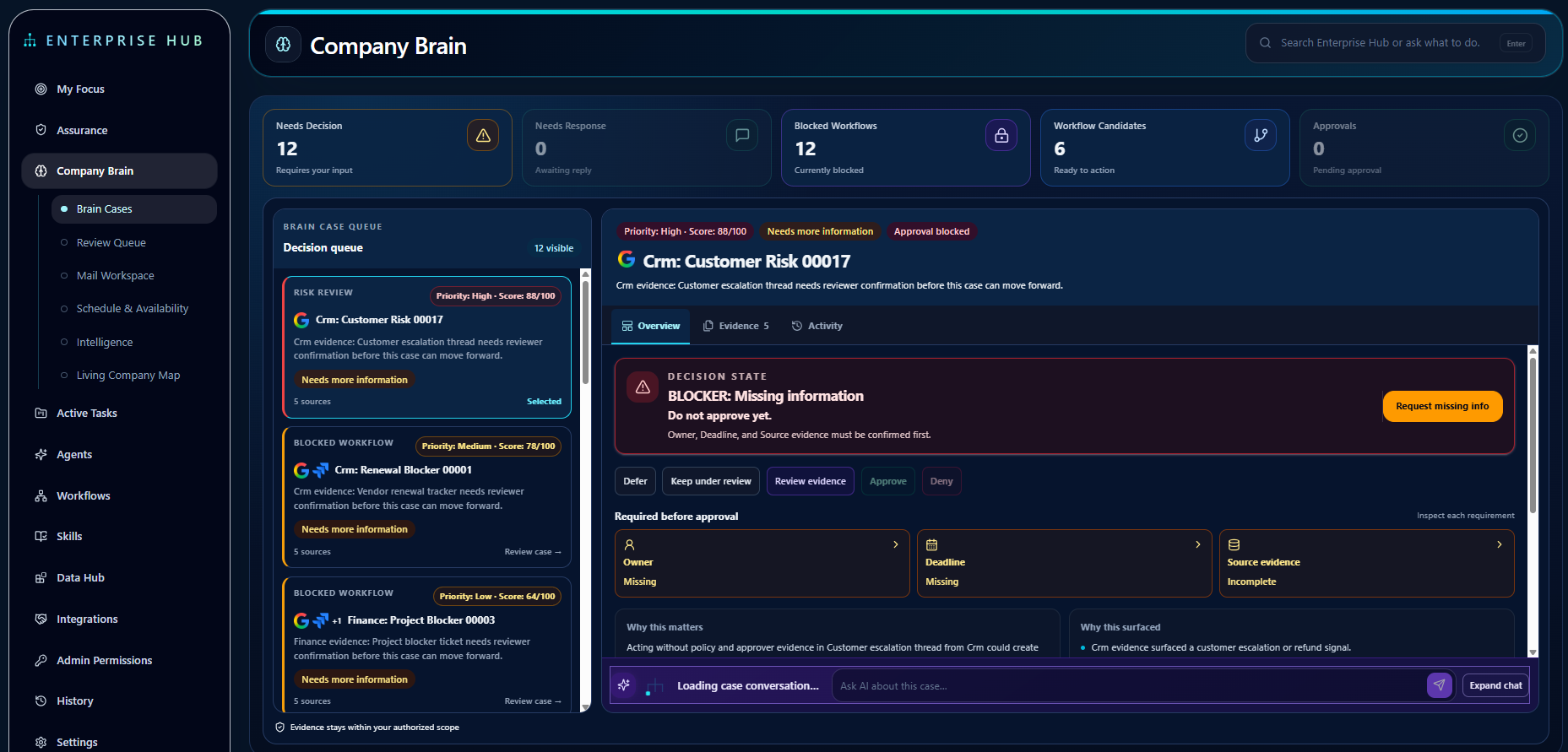
Company Brain organizes source-linked evidence into Brain Cases.
The selected customer-risk case has a high priority score, but approval is blocked. Its decision state makes the reason explicit: required information is missing. The owner and deadline need confirmation, and the source evidence is incomplete.
The reviewer can inspect the evidence, request missing information, defer the case, or keep it under review. The visible requirements explain what needs to be resolved before approval can proceed.
This distinction matters. A priority score can help order a queue, but it does not replace evidence or human judgment. In this example, the case remains blocked while the required information is unresolved.
See the wider program context
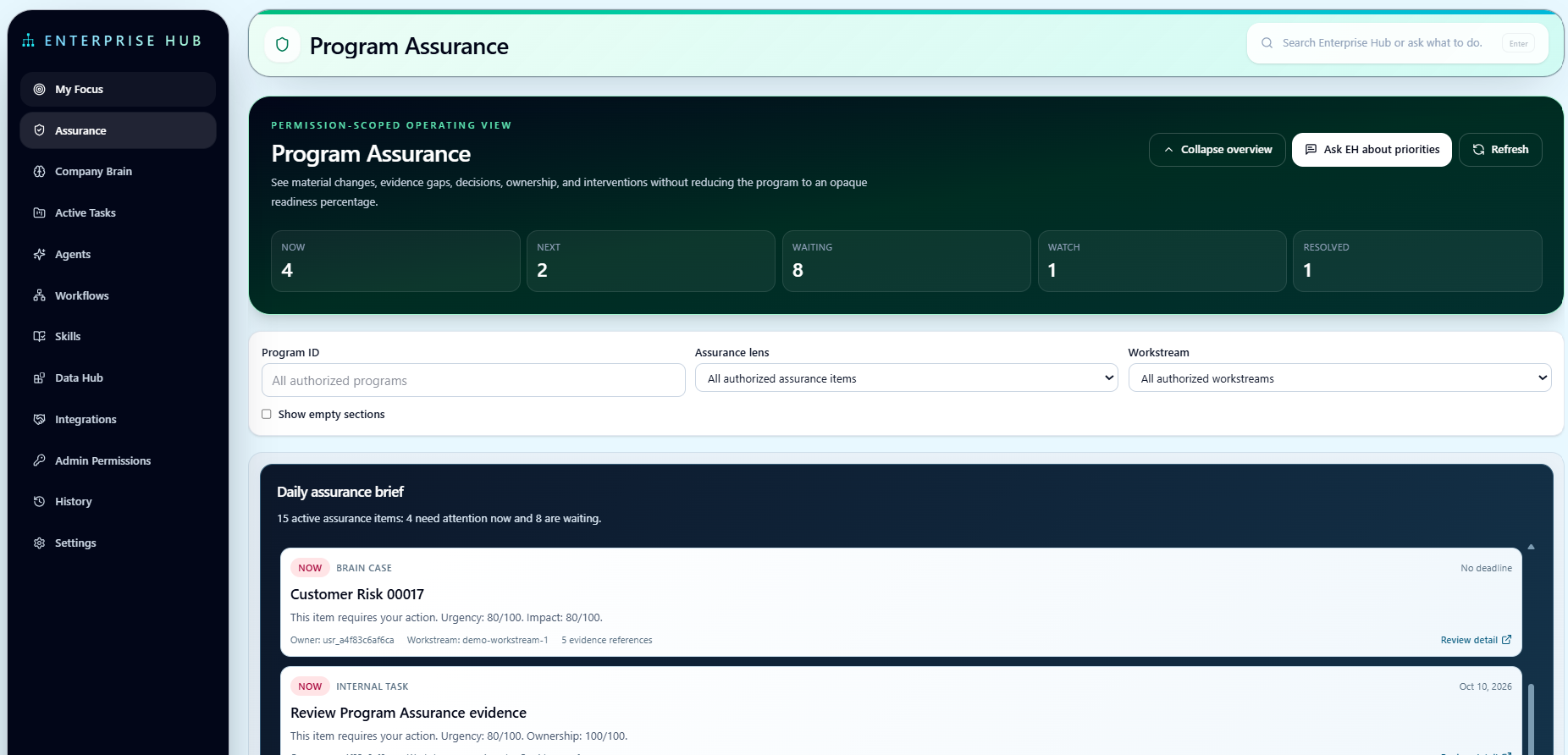
Program Assurance brings priorities, blockers, and ownership gaps into a broader operating view.
The daily assurance brief includes the customer-risk case alongside other items needing attention. Reviewers can use the program, assurance, and workstream controls to focus the view, then open an item for more detail.
My Focus supports the individual reviewer’s next step. Company Brain provides the case and its evidence. Program Assurance helps authorized leaders see how those items fit into the wider program.
Keep review and action connected
Across these views, the workflow is straightforward:
- Identify the item requiring attention.
- Review the supporting evidence.
- Confirm ownership, timing, and missing requirements.
- Record the appropriate decision.
- Proceed with a supported next action only when its authorization requirements are met.
Access follows source permissions. Permission to read information is separate from permission to act, and available operations depend on the supported integration and deployment configuration.
The example stops at a reviewable decision point. It does not show an automatic approval, a completed operational action, or a measured business outcome.
Bring a workflow from your business
A useful starting point is one decision whose evidence, approvals, and ownership are spread across systems.
Enterprise Hub AI supports deployment in the customer’s AWS account, with customer-led installation or separately scoped EH-led setup. Supported capabilities, responsibilities, and commercial terms are confirmed before deployment.
Enterprise Hub AI publishes practical perspectives on evidence, authority, and AI-assisted work.